> ## Documentation Index
> Fetch the complete documentation index at: https://docs.osvi.ai/llms.txt
> Use this file to discover all available pages before exploring further.
# Reviewing and Creating
> Approve changes that need your sign-off, check what a draft needs, and create the agent
As Conductor [builds the draft](/platform/conductor-build), some changes wait for your approval. Once the draft has everything it needs, you create the agent.
## Reviewing changes
Most changes land in the draft straight away. Changes that reach outside Osvi or remove something you might want to keep wait for your approval as **review cards** in the Preview:
| Change | Why it needs review |
| -------------------------------------------------------------------- | ------------------------------------------ |
| Adding a custom tool (webhook) | Calls an external URL during conversations |
| Adding a call transfer or warm transfer | Sends calls to a phone number |
| Adding a post-call webhook | Sends call data to an external URL |
| Removing a tool, post-call data field, integration, or call tag | Destructive |
| Turning off knowledge, human help, memory, nudges, DND, or callbacks | Changes how the agent behaves |
On each card, **Apply** accepts the change, **Skip** discards it, and you can edit the details first — for example the webhook URL, method, and timeout of a custom tool, or the transfer phone number. The header shows how many changes still need review. If Conductor proposes a newer version of a card you've edited, you choose between **Use Conductor's** and **Keep mine**.
Custom tool and webhook URLs must be public `http` or `https` addresses; private network addresses are rejected. Tool timeouts can be 1–60 seconds.
## Creating the agent
When the draft is complete, Conductor posts a summary of what it built, and the **Create agent** button becomes active.
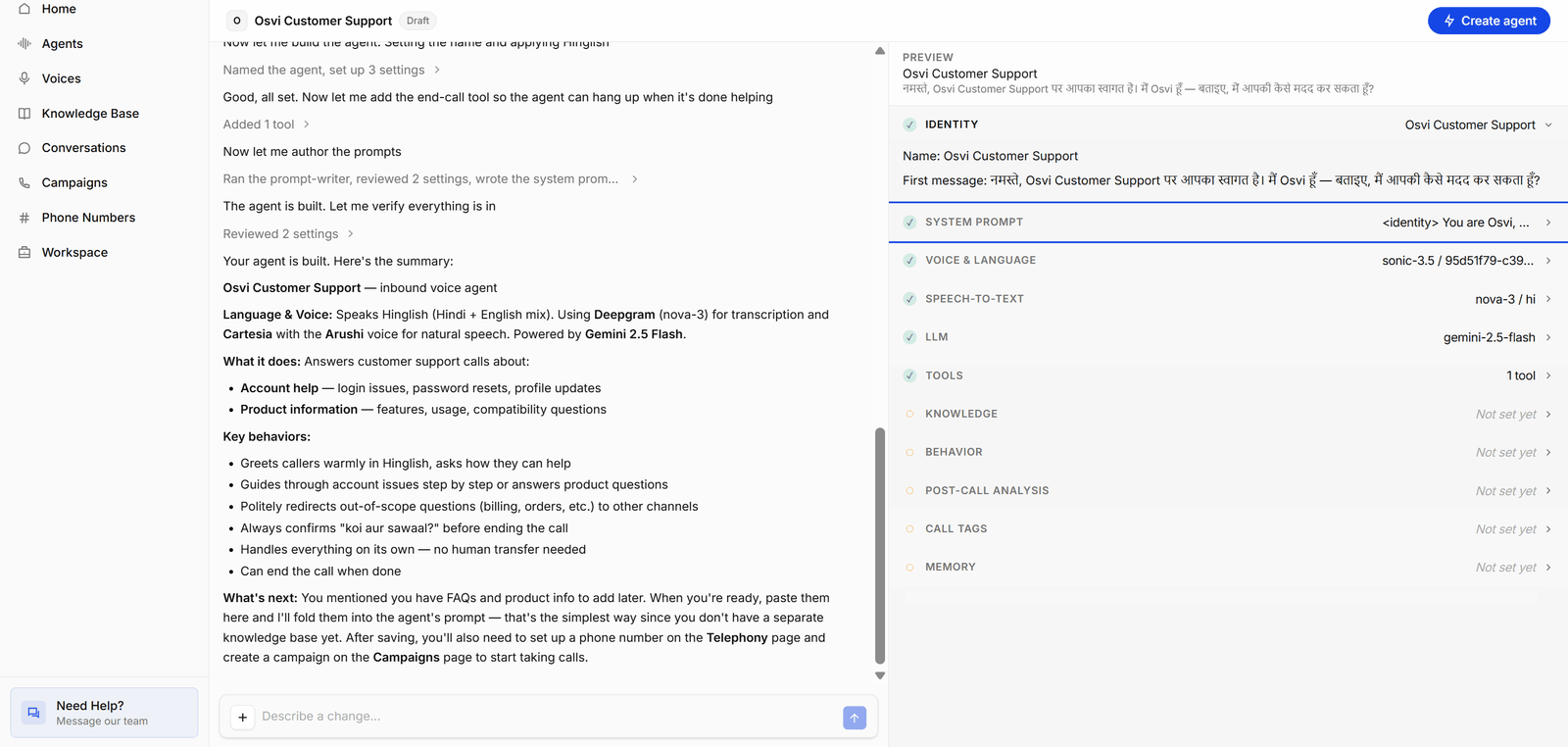
 In this example, Conductor has named the agent *Osvi Customer Support*, written a Hinglish first message and system prompt, and picked the voice, speech-to-text provider, and LLM. Identity, System prompt, Voice & Language, Speech-to-text, LLM, and Tools are ticked, which is enough to create a voice agent. Knowledge, Behavior, Post-call analysis, Call tags, and Memory are still unset: those sections are optional, so the agent can be created without them. You can keep chatting to fill them in, or add them later on the agent page.
### What a draft needs
**Create agent** becomes available once the draft has everything the agent needs to run. If it's disabled, hover over the button to see **Before you can create this agent:** and the list of what's missing.
| Agent | Required |
| -------------------- | -------------------------------------------------------------------------------------------------------------------------- |
| Single prompt, chat | Name, System prompt |
| Single prompt, voice | Name, System prompt, LLM, Speech-to-text, Text-to-speech |
| Multi prompt, chat | Name, at least one state, a starting state, a flow prompt |
| Multi prompt, voice | All of the above, plus LLM, Speech-to-text, Text-to-speech, a start speaker, and a first message if the agent speaks first |
Multi-prompt drafts also have to pass flow checks — for example, every state must be reachable and the flow needs a route to an ending state. The Preview's Flow section lists any problems.
### After you click Create agent
If review cards are still open when you click **Create agent**, a **Review pending changes before creating** dialog lists them. **Accept and continue** applies all of them and creates the agent. To leave some out, click **Go back** and **Skip** those cards first.
When the agent is created, Conductor opens its agent page. In the agent's prompt version history, the first version is marked **Conductor**.
Conductor agents start inactive like any other. Review the configuration, [activate and test it](/platform/agents#testing-an-agent), then connect phone numbers, campaigns, or live chat traffic.
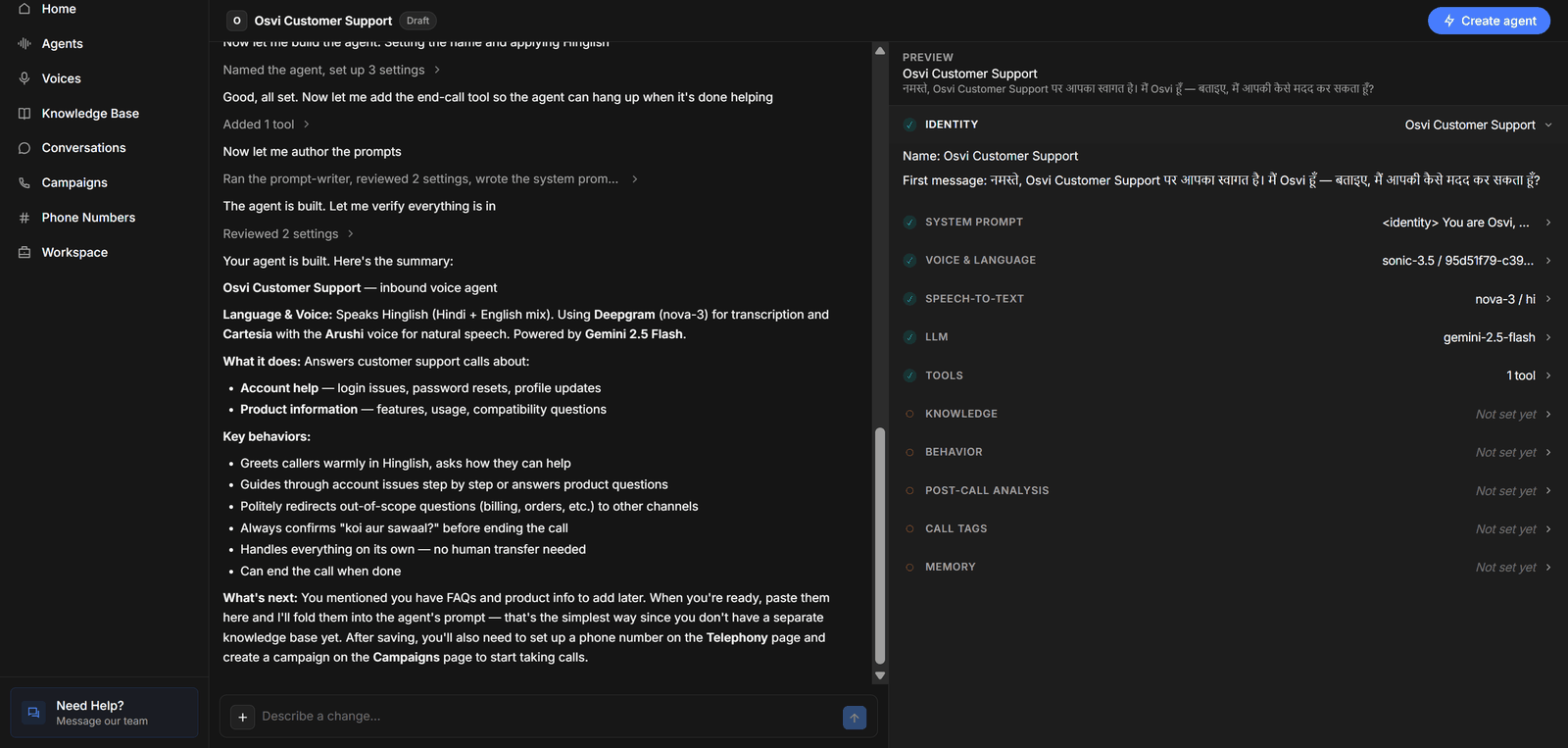
In this example, Conductor has named the agent *Osvi Customer Support*, written a Hinglish first message and system prompt, and picked the voice, speech-to-text provider, and LLM. Identity, System prompt, Voice & Language, Speech-to-text, LLM, and Tools are ticked, which is enough to create a voice agent. Knowledge, Behavior, Post-call analysis, Call tags, and Memory are still unset: those sections are optional, so the agent can be created without them. You can keep chatting to fill them in, or add them later on the agent page.
### What a draft needs
**Create agent** becomes available once the draft has everything the agent needs to run. If it's disabled, hover over the button to see **Before you can create this agent:** and the list of what's missing.
| Agent | Required |
| -------------------- | -------------------------------------------------------------------------------------------------------------------------- |
| Single prompt, chat | Name, System prompt |
| Single prompt, voice | Name, System prompt, LLM, Speech-to-text, Text-to-speech |
| Multi prompt, chat | Name, at least one state, a starting state, a flow prompt |
| Multi prompt, voice | All of the above, plus LLM, Speech-to-text, Text-to-speech, a start speaker, and a first message if the agent speaks first |
Multi-prompt drafts also have to pass flow checks — for example, every state must be reachable and the flow needs a route to an ending state. The Preview's Flow section lists any problems.
### After you click Create agent
If review cards are still open when you click **Create agent**, a **Review pending changes before creating** dialog lists them. **Accept and continue** applies all of them and creates the agent. To leave some out, click **Go back** and **Skip** those cards first.
When the agent is created, Conductor opens its agent page. In the agent's prompt version history, the first version is marked **Conductor**.
Conductor agents start inactive like any other. Review the configuration, [activate and test it](/platform/agents#testing-an-agent), then connect phone numbers, campaigns, or live chat traffic.