> ## Documentation Index
> Fetch the complete documentation index at: https://docs.osvi.ai/llms.txt
> Use this file to discover all available pages before exploring further.
# Custom Tools
> Connect a voice agent to your own API — define what the agent fills in, and how it's sent as query parameters, headers, and payload
A custom tool lets the agent call your own HTTP endpoint mid-call — to look up an order, check availability, book an appointment, or update your CRM. You describe the request, and the agent fills in the details from the conversation.
Custom tools send **real requests** to your API whenever the agent uses them, including during test calls and evals. Header values such as API keys are visible to anyone in your workspace who can open the agent — use keys scoped to what the tool needs.
## Creating a custom tool
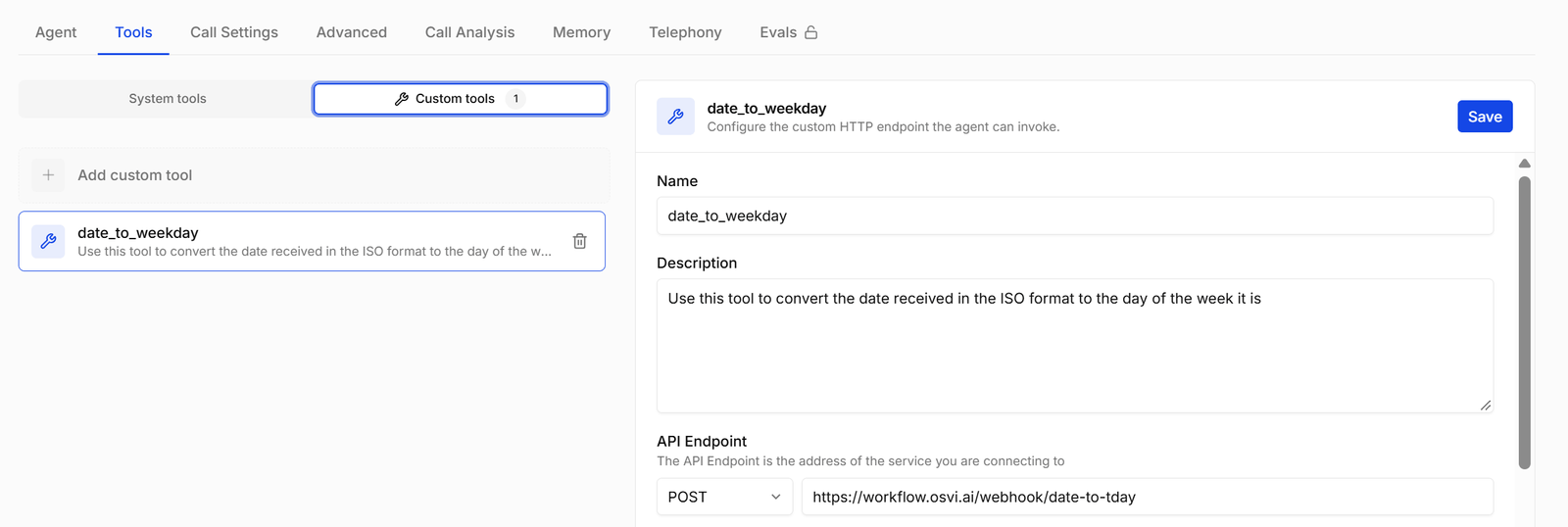
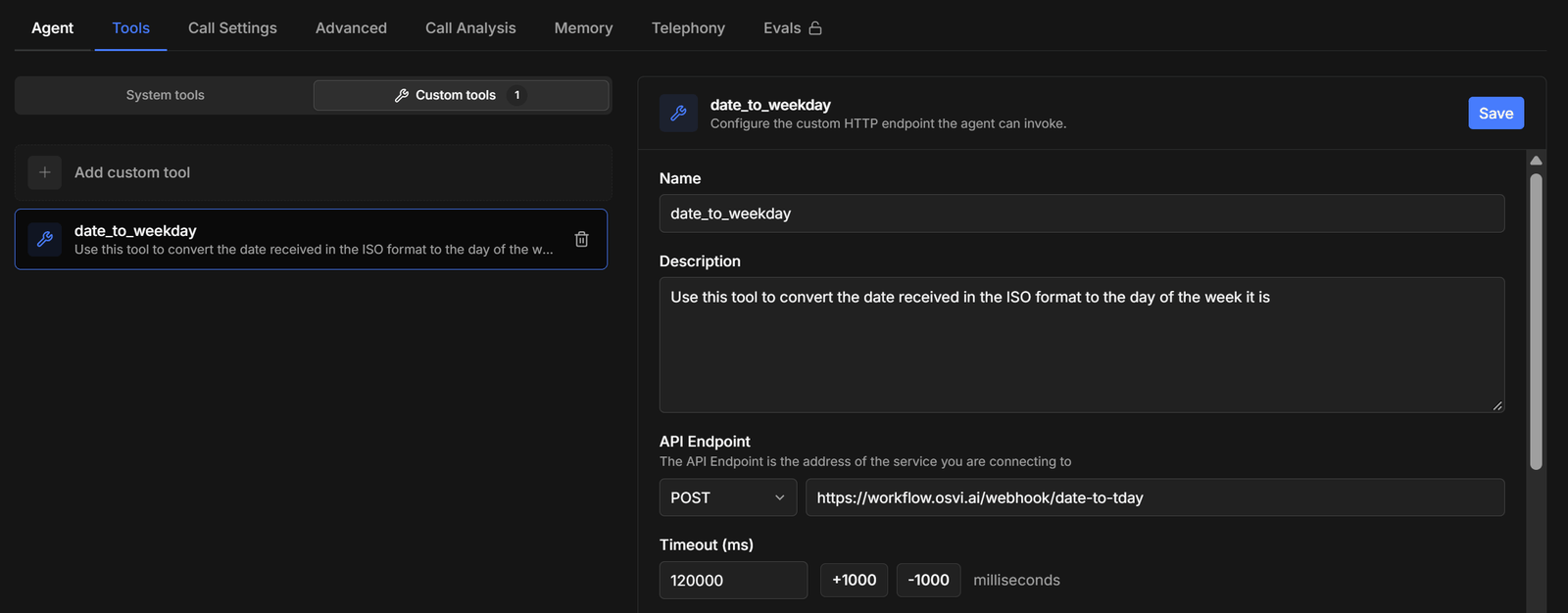
On the agent's **Tools** tab, open **Custom tools** and click **Add custom tool**. Name and [describe](/platform/tools#writing-tool-descriptions) it, set the method and URL, define the [parameters](#parameters) the agent should collect, [build the request](#how-the-request-is-built) around them, and save. Then test the agent with a call that should trigger the tool.
 ## Fields
| Field | Default | What it does |
| ------------------------- | ------------------------------ | --------------------------------------------------------------------- |
| **Name** | `custom_tool` | Identifies the tool. Spaces become underscores. |
| **Description** | *Call your own HTTP endpoint.* | Tells the agent when to use the tool. Required. |
| **API Endpoint** | `POST`, empty URL | The method (GET, POST, PUT, PATCH, or DELETE) and the full URL. |
| **Timeout (ms)** | 120000 | How long to wait for your API, in milliseconds. |
| **Headers** | — | Key/value pairs sent as HTTP headers, such as `Authorization`. |
| **Query Parameters** | — | Key/value pairs appended to the URL as `?key=value`. |
| **Payload: args only** | On | Leave it on to skip writing a payload; turn it off to write your own. |
| **Payload** | — | The request body, as JSON or in the form editor. |
| **Parameters (Optional)** | — | The details the agent fills in from the conversation. |
The caller is waiting while your API responds. Keep the timeout short — a few seconds — and make sure your endpoint answers quickly.
## Parameters
Parameters are the details the agent collects from the conversation and passes to the tool — a date, an order number, a doctor's name. Define them in the **Form** editor with **+ Add parameter**, or as JSON.
## Fields
| Field | Default | What it does |
| ------------------------- | ------------------------------ | --------------------------------------------------------------------- |
| **Name** | `custom_tool` | Identifies the tool. Spaces become underscores. |
| **Description** | *Call your own HTTP endpoint.* | Tells the agent when to use the tool. Required. |
| **API Endpoint** | `POST`, empty URL | The method (GET, POST, PUT, PATCH, or DELETE) and the full URL. |
| **Timeout (ms)** | 120000 | How long to wait for your API, in milliseconds. |
| **Headers** | — | Key/value pairs sent as HTTP headers, such as `Authorization`. |
| **Query Parameters** | — | Key/value pairs appended to the URL as `?key=value`. |
| **Payload: args only** | On | Leave it on to skip writing a payload; turn it off to write your own. |
| **Payload** | — | The request body, as JSON or in the form editor. |
| **Parameters (Optional)** | — | The details the agent fills in from the conversation. |
The caller is waiting while your API responds. Keep the timeout short — a few seconds — and make sure your endpoint answers quickly.
## Parameters
Parameters are the details the agent collects from the conversation and passes to the tool — a date, an order number, a doctor's name. Define them in the **Form** editor with **+ Add parameter**, or as JSON.
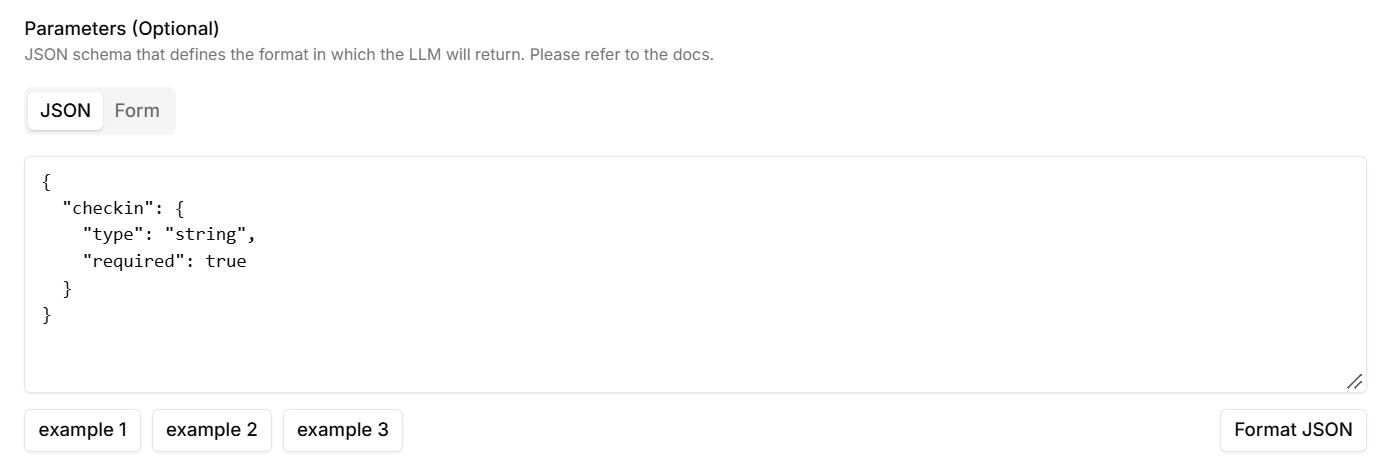
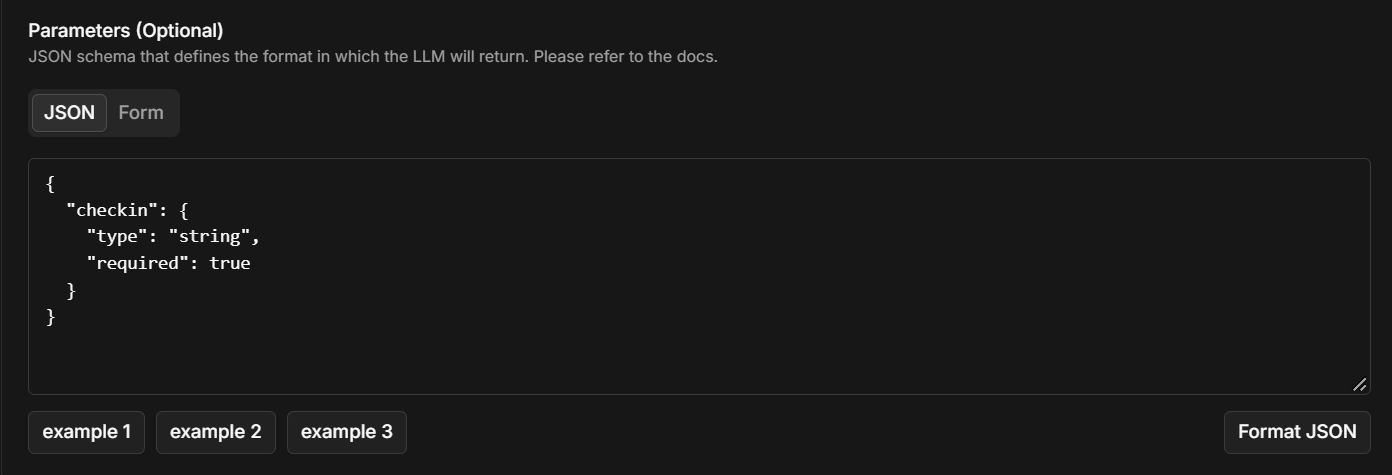 The example above declares one required parameter, `checkin`, as a string. Use the **Form** editor if you'd rather fill in fields than write JSON, and **Format JSON** to tidy what you've typed.
For each parameter:
| Setting | What it does |
| ------------------ | --------------------------------------------------------------------------------------------------------------------------- |
| **name** | How you refer to it in placeholders, such as `order_id`. |
| **type** | `string`, `number`, `boolean`, `array`, or `object`. Arrays and objects can hold nested items. |
| **description** | Tells the agent what to fill in — for example, "Date of the appointment, as YYYY-MM-DD." |
| **allowed values** | Optional. A comma-separated list the value must come from, such as `morning, afternoon, evening`. |
| **required** | The agent must provide it. If a required parameter is missing, the request isn't sent and the agent is told what's missing. |
Clear descriptions give you cleaner values. If your API expects a specific format — a date, a phone number with country code — say so in the parameter's description.
## How the request is built
Parameters don't go into the request on their own. You place each one where it belongs by writing its name in double curly braces — `{{order_id}}` — in the **URL**, a **query parameter** value, a **header** value, or the **payload**. When the agent uses the tool, each placeholder is replaced with the value it filled in.
| You write | The agent fills in | The request contains |
| -------------------------------------------------- | ---------------------- | --------------------------------------- |
| URL: `https://api.example.com/orders/{{order_id}}` | `order_id` = `A-1042` | `https://api.example.com/orders/A-1042` |
| Query parameter: `date` = `{{date}}` | `date` = `2026-09-16` | `?date=2026-09-16` |
| Header: `X-Customer` = `{{customer_id}}` | `customer_id` = `C-77` | `X-Customer: C-77` |
| Payload: `{"slot": "{{time}}"}` | `time` = `16:00` | `{"slot": "16:00"}` |
The example above declares one required parameter, `checkin`, as a string. Use the **Form** editor if you'd rather fill in fields than write JSON, and **Format JSON** to tidy what you've typed.
For each parameter:
| Setting | What it does |
| ------------------ | --------------------------------------------------------------------------------------------------------------------------- |
| **name** | How you refer to it in placeholders, such as `order_id`. |
| **type** | `string`, `number`, `boolean`, `array`, or `object`. Arrays and objects can hold nested items. |
| **description** | Tells the agent what to fill in — for example, "Date of the appointment, as YYYY-MM-DD." |
| **allowed values** | Optional. A comma-separated list the value must come from, such as `morning, afternoon, evening`. |
| **required** | The agent must provide it. If a required parameter is missing, the request isn't sent and the agent is told what's missing. |
Clear descriptions give you cleaner values. If your API expects a specific format — a date, a phone number with country code — say so in the parameter's description.
## How the request is built
Parameters don't go into the request on their own. You place each one where it belongs by writing its name in double curly braces — `{{order_id}}` — in the **URL**, a **query parameter** value, a **header** value, or the **payload**. When the agent uses the tool, each placeholder is replaced with the value it filled in.
| You write | The agent fills in | The request contains |
| -------------------------------------------------- | ---------------------- | --------------------------------------- |
| URL: `https://api.example.com/orders/{{order_id}}` | `order_id` = `A-1042` | `https://api.example.com/orders/A-1042` |
| Query parameter: `date` = `{{date}}` | `date` = `2026-09-16` | `?date=2026-09-16` |
| Header: `X-Customer` = `{{customer_id}}` | `customer_id` = `C-77` | `X-Customer: C-77` |
| Payload: `{"slot": "{{time}}"}` | `time` = `16:00` | `{"slot": "16:00"}` |
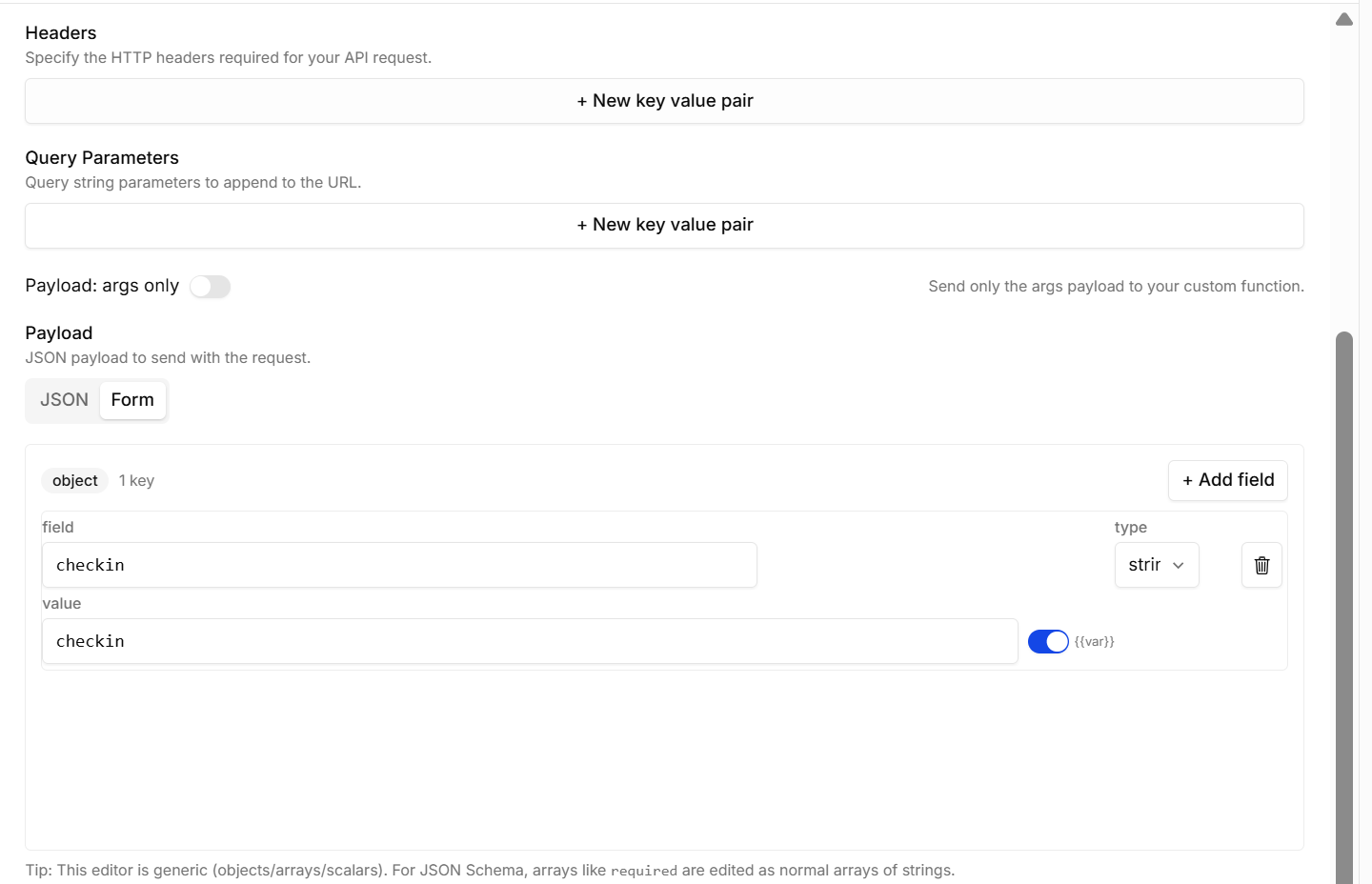
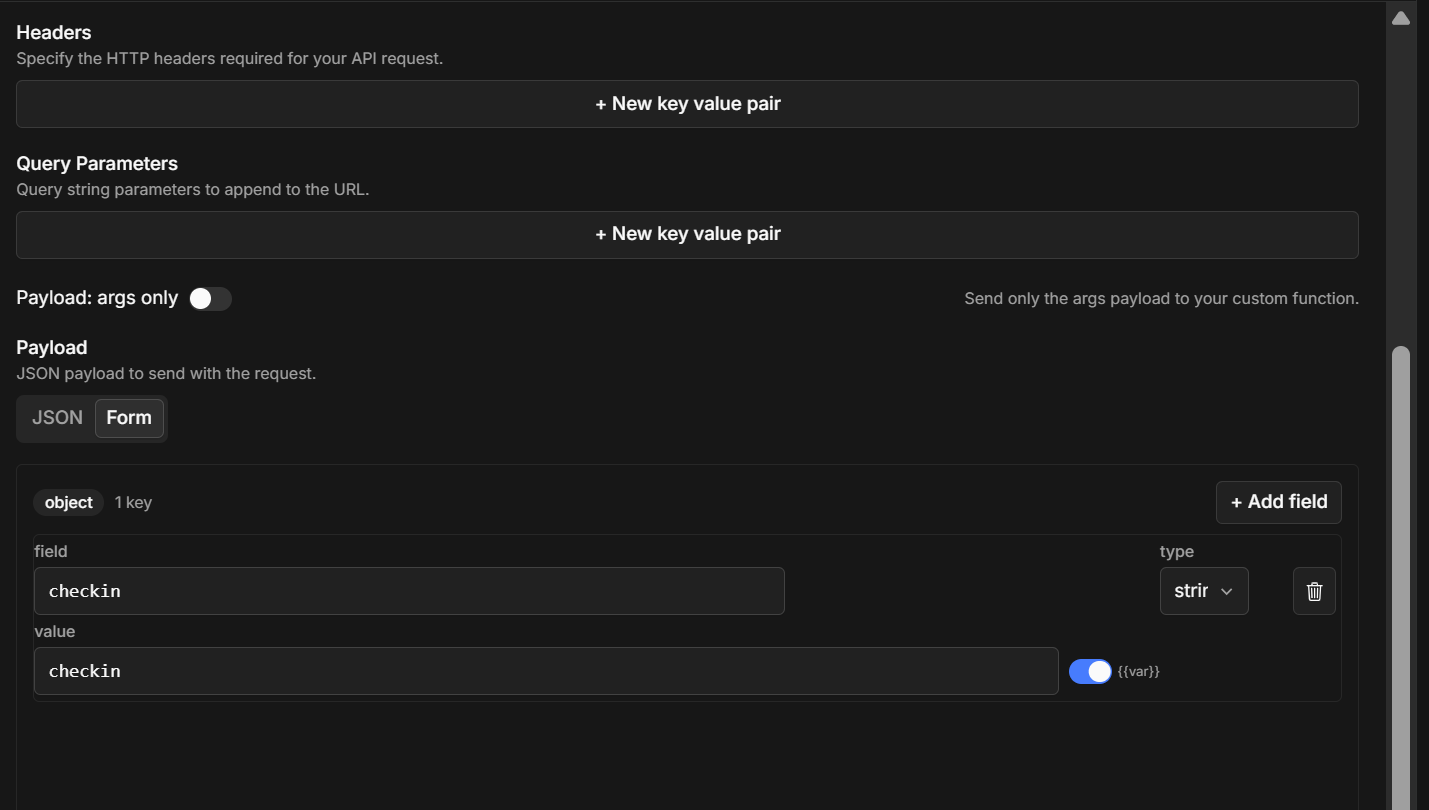 Add headers and query parameters with **+ New key value pair**. In the payload's **Form** editor above, the `checkin` field's value is switched to a placeholder with the **`{{var}}`** toggle next to it, so the agent's value is filled in there.
**Placeholder rules**
* Write placeholders **without spaces**: `{{order_id}}`, not `{{ order_id }}`.
* A placeholder's name must match a parameter's name exactly.
* A parameter with no placeholder anywhere isn't sent.
* When a placeholder is the entire value — `"quantity": "{{quantity}}"` — the value keeps its type, so numbers, lists, and objects arrive as real JSON. Inside longer text — `"note": "Order {{order_id}}"` — it's inserted as text.
* Placeholders work in values, not in key names.
### Methods and the request body
| Method | Query parameters | Payload |
| ---------------------------- | ---------------- | ------------------------------------------------------------ |
| **GET**, **DELETE** | Sent | **Not sent** — put everything in the URL or query parameters |
| **POST**, **PUT**, **PATCH** | Sent | Sent as the request body |
The body is sent as **JSON** by default. To send form data instead, add a header `Content-Type` = `application/x-www-form-urlencoded`.
To control exactly what's in the body, turn **Payload: args only** off and write the payload yourself with placeholders.
## Using call details
Placeholders are filled only with parameters the agent provides — details from the call itself, such as `person_name` or fields from `additional_data`, can't be used in a tool directly.
To pass one along, put it in the system prompt and declare a matching parameter:
1. In the prompt: `The customer's ID is {{ additional_data.customer_id }}. Pass it to tools that ask for it.` (see [Prompt writing](/platform/prompt-writing))
2. In the tool: a required parameter `customer_id` with the description *"The customer's ID from the prompt."*
3. In the request: `{{customer_id}}` wherever your API needs it.
## What happens with the response
Your API's response is passed back to the agent, which uses it to reply to the caller:
* **Success** (2xx) — the agent reads the response body and answers from it. JSON is passed along formatted; anything else as plain text.
* **Error** (any other status) — the agent is told the request failed, with the status code and body, and responds accordingly.
Return only what the agent needs — a short, focused response is faster to handle and less likely to confuse the agent than a large one.
The caller only hears what the agent says before it uses the tool, so the tool's [description](/platform/tools#writing-tool-descriptions) should tell it to say something first.
## Example: booking an appointment
**The tool**
| Field | Value |
| ---------------------- | ----------------------------------------------------------------------------------------------------------------------------------------------- |
| **Name** | `book_appointment` |
| **Description** | Book a doctor's appointment once the caller has confirmed the doctor, date, and time. Tell the caller you're booking it before using this tool. |
| **API Endpoint** | `POST` `https://api.example-clinic.com/v1/appointments` |
| **Timeout (ms)** | `10000` |
| **Headers** | `Authorization` = `Bearer YOUR_API_KEY` |
| **Query Parameters** | `source` = `osvi` |
| **Payload: args only** | Off |
**Parameters**
| name | type | required | description |
| ------------- | ------ | -------- | ---------------------------------- |
| `doctor_name` | string | Yes | The doctor the caller wants to see |
| `date` | string | Yes | Appointment date, as YYYY-MM-DD |
| `time` | string | Yes | Appointment time, 24-hour HH:MM |
**Payload**
```json theme={null}
{
"doctor_name": "{{doctor_name}}",
"date": "{{date}}",
"time": "{{time}}",
"channel": "voice"
}
```
**On the call**, the caller says *"Book me with Dr Rao tomorrow at 4 pm."* The agent says *"Let me book that for you,"* and sends:
```http theme={null}
POST https://api.example-clinic.com/v1/appointments?source=osvi
Authorization: Bearer YOUR_API_KEY
Content-Type: application/json
{
"doctor_name": "Dr Rao",
"date": "2026-09-16",
"time": "16:00",
"channel": "voice"
}
```
Your API responds:
```json theme={null}
{ "status": "confirmed", "appointment_id": "APT-1042" }
```
The agent reads the response and tells the caller: *"You're booked with Dr Rao tomorrow at 4 pm — your reference is APT-1042."*
## Troubleshooting
The description is the only thing the agent goes on. Make it specific about when to use the tool, and check the system prompt doesn't tell the agent to avoid it.
The placeholder's name doesn't match a parameter, or it has spaces inside the braces. Use `{{name}}` with the exact parameter name.
Every parameter must be placed with a placeholder — a parameter that isn't referenced anywhere isn't sent. For GET and DELETE, the payload isn't sent at all; use query parameters instead.
Describe the exact format in the parameter's description (for example, "YYYY-MM-DD"), or restrict it with allowed values.
Add "Tell the caller you're checking before using this tool" to the description, lower the timeout, and speed up your endpoint.
Add headers and query parameters with **+ New key value pair**. In the payload's **Form** editor above, the `checkin` field's value is switched to a placeholder with the **`{{var}}`** toggle next to it, so the agent's value is filled in there.
**Placeholder rules**
* Write placeholders **without spaces**: `{{order_id}}`, not `{{ order_id }}`.
* A placeholder's name must match a parameter's name exactly.
* A parameter with no placeholder anywhere isn't sent.
* When a placeholder is the entire value — `"quantity": "{{quantity}}"` — the value keeps its type, so numbers, lists, and objects arrive as real JSON. Inside longer text — `"note": "Order {{order_id}}"` — it's inserted as text.
* Placeholders work in values, not in key names.
### Methods and the request body
| Method | Query parameters | Payload |
| ---------------------------- | ---------------- | ------------------------------------------------------------ |
| **GET**, **DELETE** | Sent | **Not sent** — put everything in the URL or query parameters |
| **POST**, **PUT**, **PATCH** | Sent | Sent as the request body |
The body is sent as **JSON** by default. To send form data instead, add a header `Content-Type` = `application/x-www-form-urlencoded`.
To control exactly what's in the body, turn **Payload: args only** off and write the payload yourself with placeholders.
## Using call details
Placeholders are filled only with parameters the agent provides — details from the call itself, such as `person_name` or fields from `additional_data`, can't be used in a tool directly.
To pass one along, put it in the system prompt and declare a matching parameter:
1. In the prompt: `The customer's ID is {{ additional_data.customer_id }}. Pass it to tools that ask for it.` (see [Prompt writing](/platform/prompt-writing))
2. In the tool: a required parameter `customer_id` with the description *"The customer's ID from the prompt."*
3. In the request: `{{customer_id}}` wherever your API needs it.
## What happens with the response
Your API's response is passed back to the agent, which uses it to reply to the caller:
* **Success** (2xx) — the agent reads the response body and answers from it. JSON is passed along formatted; anything else as plain text.
* **Error** (any other status) — the agent is told the request failed, with the status code and body, and responds accordingly.
Return only what the agent needs — a short, focused response is faster to handle and less likely to confuse the agent than a large one.
The caller only hears what the agent says before it uses the tool, so the tool's [description](/platform/tools#writing-tool-descriptions) should tell it to say something first.
## Example: booking an appointment
**The tool**
| Field | Value |
| ---------------------- | ----------------------------------------------------------------------------------------------------------------------------------------------- |
| **Name** | `book_appointment` |
| **Description** | Book a doctor's appointment once the caller has confirmed the doctor, date, and time. Tell the caller you're booking it before using this tool. |
| **API Endpoint** | `POST` `https://api.example-clinic.com/v1/appointments` |
| **Timeout (ms)** | `10000` |
| **Headers** | `Authorization` = `Bearer YOUR_API_KEY` |
| **Query Parameters** | `source` = `osvi` |
| **Payload: args only** | Off |
**Parameters**
| name | type | required | description |
| ------------- | ------ | -------- | ---------------------------------- |
| `doctor_name` | string | Yes | The doctor the caller wants to see |
| `date` | string | Yes | Appointment date, as YYYY-MM-DD |
| `time` | string | Yes | Appointment time, 24-hour HH:MM |
**Payload**
```json theme={null}
{
"doctor_name": "{{doctor_name}}",
"date": "{{date}}",
"time": "{{time}}",
"channel": "voice"
}
```
**On the call**, the caller says *"Book me with Dr Rao tomorrow at 4 pm."* The agent says *"Let me book that for you,"* and sends:
```http theme={null}
POST https://api.example-clinic.com/v1/appointments?source=osvi
Authorization: Bearer YOUR_API_KEY
Content-Type: application/json
{
"doctor_name": "Dr Rao",
"date": "2026-09-16",
"time": "16:00",
"channel": "voice"
}
```
Your API responds:
```json theme={null}
{ "status": "confirmed", "appointment_id": "APT-1042" }
```
The agent reads the response and tells the caller: *"You're booked with Dr Rao tomorrow at 4 pm — your reference is APT-1042."*
## Troubleshooting
The description is the only thing the agent goes on. Make it specific about when to use the tool, and check the system prompt doesn't tell the agent to avoid it.
The placeholder's name doesn't match a parameter, or it has spaces inside the braces. Use `{{name}}` with the exact parameter name.
Every parameter must be placed with a placeholder — a parameter that isn't referenced anywhere isn't sent. For GET and DELETE, the payload isn't sent at all; use query parameters instead.
Describe the exact format in the parameter's description (for example, "YYYY-MM-DD"), or restrict it with allowed values.
Add "Tell the caller you're checking before using this tool" to the description, lower the timeout, and speed up your endpoint.