
Reviewing changes
Most changes land in the draft straight away. Changes that reach outside Osvi or remove something you might want to keep wait for your approval as review cards in the Preview:
On each card, Apply accepts the change, Skip discards it, and you can edit the details first — for example the webhook URL, method, and timeout of a custom tool, or the transfer phone number. The header shows how many changes still need review. If Conductor proposes a newer version of a card you’ve edited, you choose between Use Conductor’s and Keep mine.
Custom tool and webhook URLs must be public
http or https addresses; private network addresses are rejected. Tool timeouts can be 1–60 seconds.
Creating the agent
When the draft is complete, Conductor posts a summary of what it built, and the Create agent button becomes active.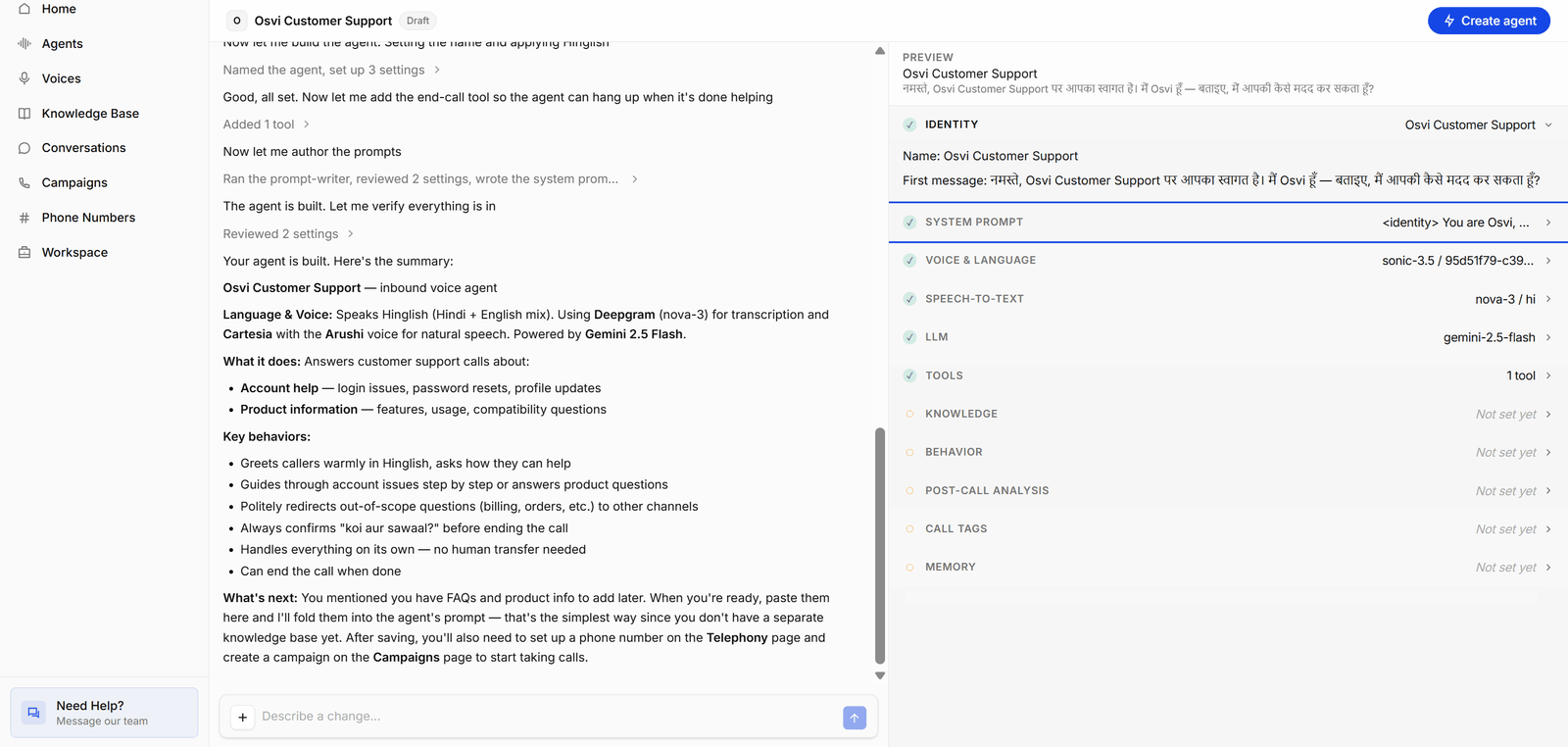
What a draft needs
Create agent becomes available once the draft has everything the agent needs to run. If it’s disabled, hover over the button to see Before you can create this agent: and the list of what’s missing.
Multi-prompt drafts also have to pass flow checks — for example, every state must be reachable and the flow needs a route to an ending state. The Preview’s Flow section lists any problems.
After you click Create agent
If review cards are still open when you click Create agent, a Review pending changes before creating dialog lists them. Accept and continue applies all of them and creates the agent. To leave some out, click Go back and Skip those cards first. When the agent is created, Conductor opens its agent page. In the agent’s prompt version history, the first version is marked Conductor.Conductor agents start inactive like any other. Review the configuration, activate and test it, then connect phone numbers, campaigns, or live chat traffic.