
Your inventory
The My Numbers tab lists every number on your account with its type and status: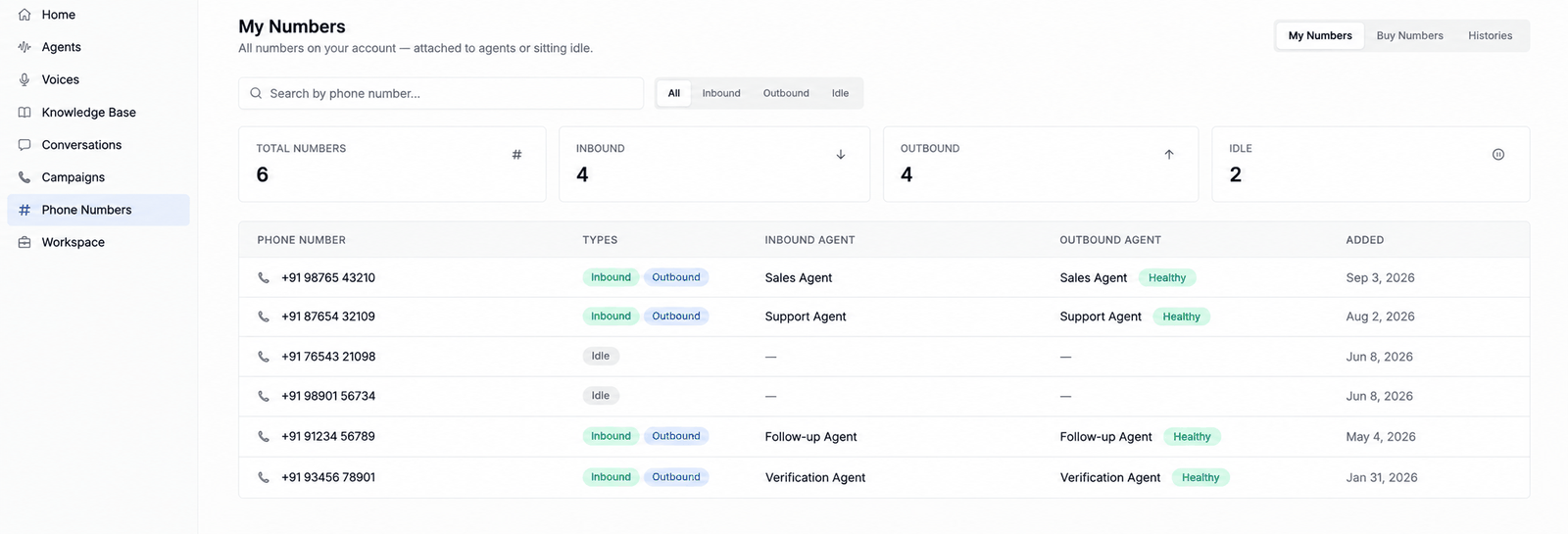
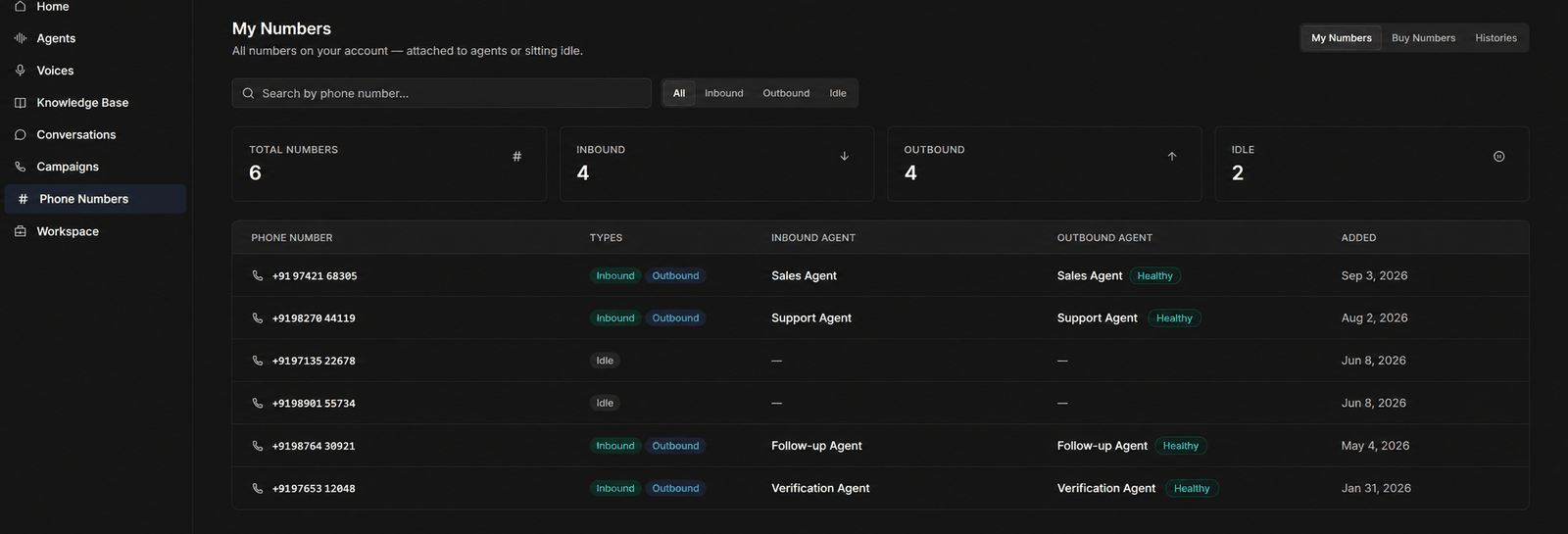
- Type —
inbound(attached to an agent that answers it),outbound(used as caller ID for outgoing calls), oridle(owned but unassigned). A number can be both inbound and outbound. Stat cards at the top show the split, and the tabs beside the search box filter the list to one type. - Status — a health badge shows whether the number is working.
- Inbound agent and outbound agent — which agent uses the number in each direction.
Getting numbers
There are two paths:Buy a number in the dashboard
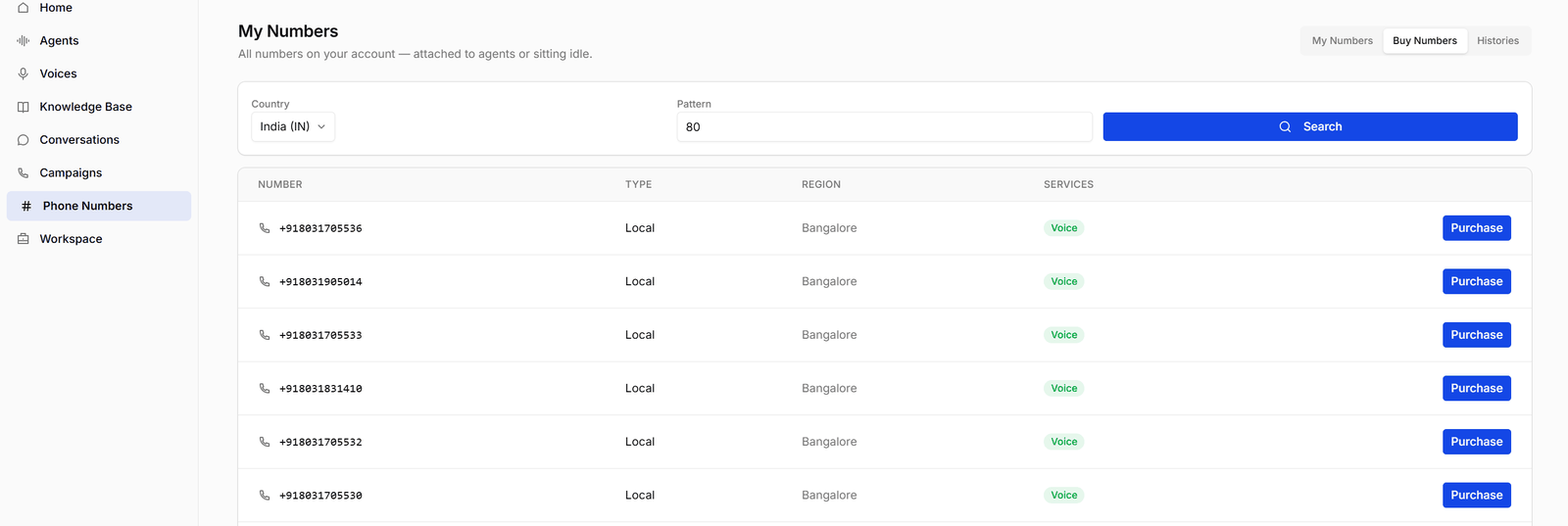
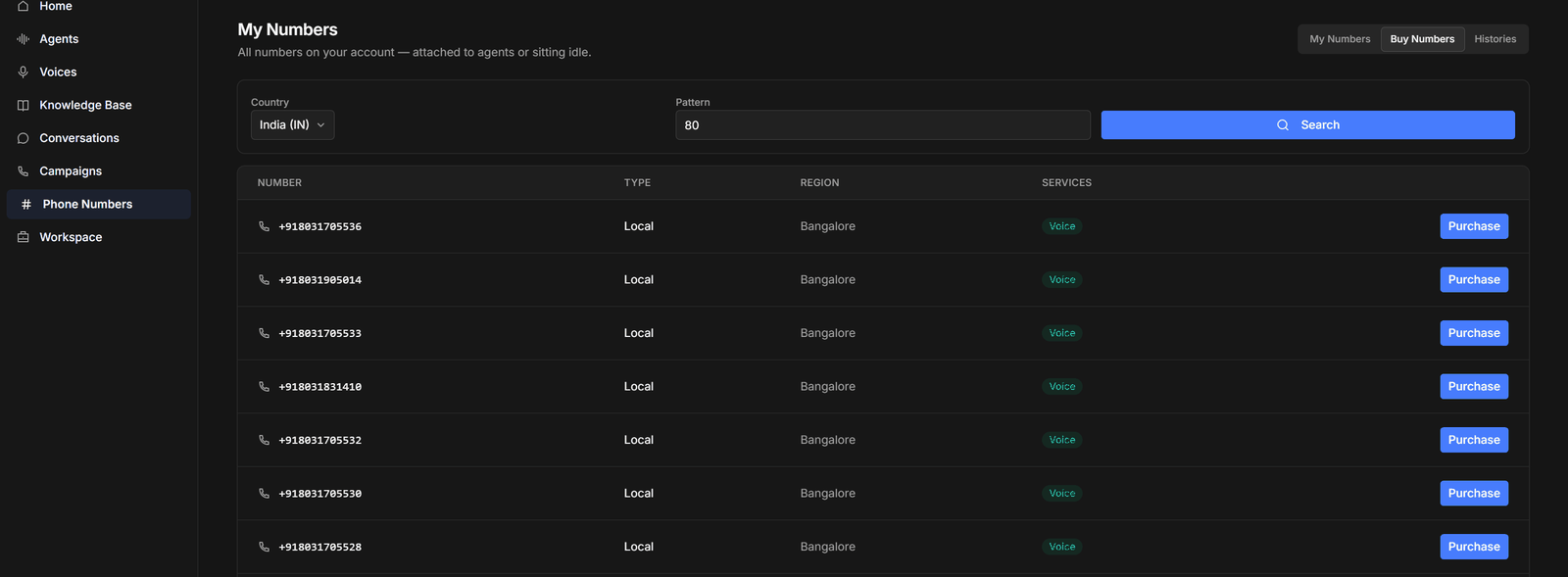
The Buy Numbers tab lets you search available numbers by country and pattern — a pattern of80 finds numbers containing those digits — and purchase one directly.
Bring your own carrier (SIP)
If you already have numbers with a telephony carrier, connect them over SIP — your DIDs stay with your carrier and route calls to Osvi agents. Step-by-step guides per carrier:Plivo
SIP trunk over Plivo’s global network.
Ozonetel
SIP integration for Ozonetel numbers.
Exotel
SIP or Voicebot WebSocket streaming.
Vobiz
SIP trunk over Vobiz infrastructure.